 AtlasTrip
Find out what to visit in the city you are in.
AtlasTrip brings together the sights of the city you are in or heading to. Start with Rio de Janeiro: see the highlights, follow a ready-made one-day itinerary and find out what is nearby the moment you step out of your hotel.
- Free
- No sign-up
- One-day itineraries
- Live map
Free on iPhone. Come in as a guest and use it right away, with no account.
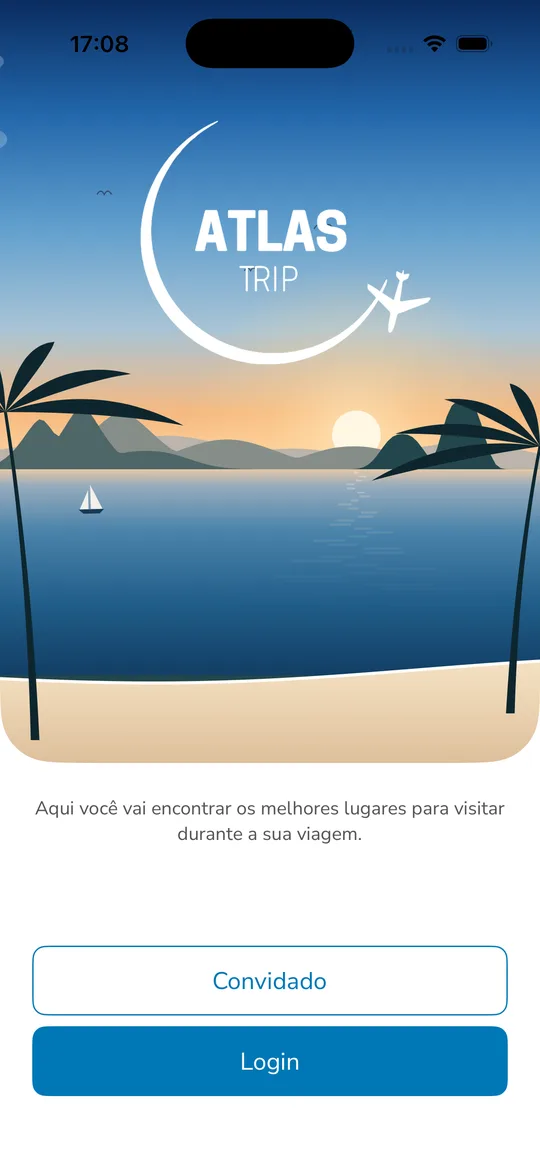
What the app is like
Four tabs, nothing buried in a menu: the city, what is nearby, the itineraries and what is yours.
The whole city on Home
The sights of the destination you picked, sorted by category — beaches, museums, shopping malls and parks — with the city's highlights and banners for upcoming events.
Live: what is nearby
A map of what is around you right now. The app uses your location to show nearby attractions and how far each one is, so you can pick your next stop wherever you happen to be.
Ready-made one-day itineraries
Complete plans such as A day on Rio's Boulevard, Historic Rio in one day and Rainy-day outings in Rio, for travellers who would rather not spend the trip planning it.
My day
While you are travelling, the app shows what comes next on your itinerary — without reopening the whole plan at every stop.
Favourites
Save the places you want to visit and build your own list. With an account, it follows you from one trip to the next.
Every place in detail
A photo gallery, whether it is open or closed right now, the estimated price, how long the visit takes, the location on the map and contact details. Local tour guides have their own page too.
Inside the app
Real AtlasTrip screens, showing the sights of Rio de Janeiro.
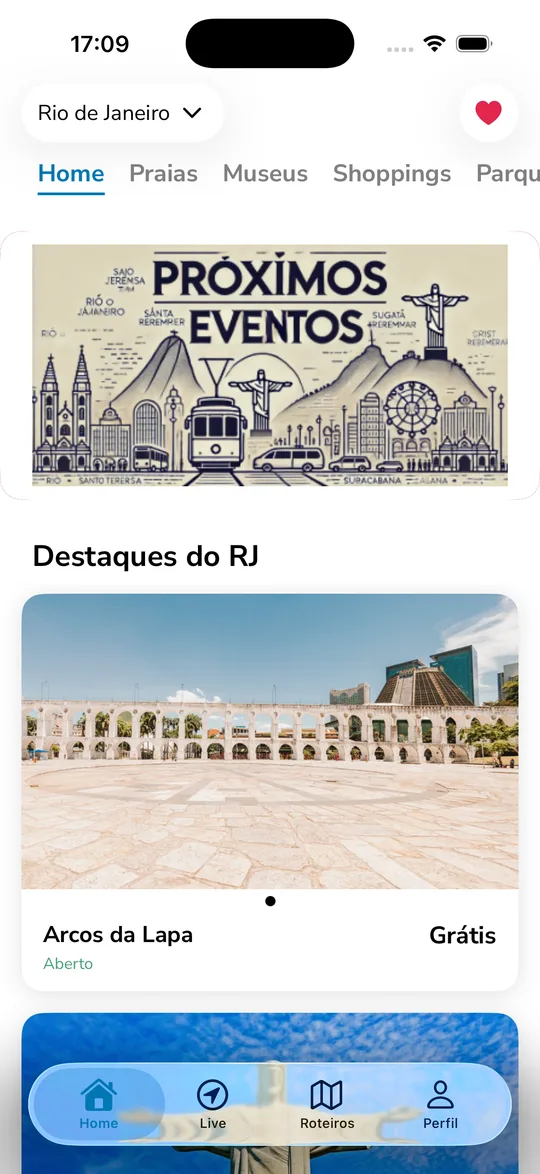
Home — highlights of Rio
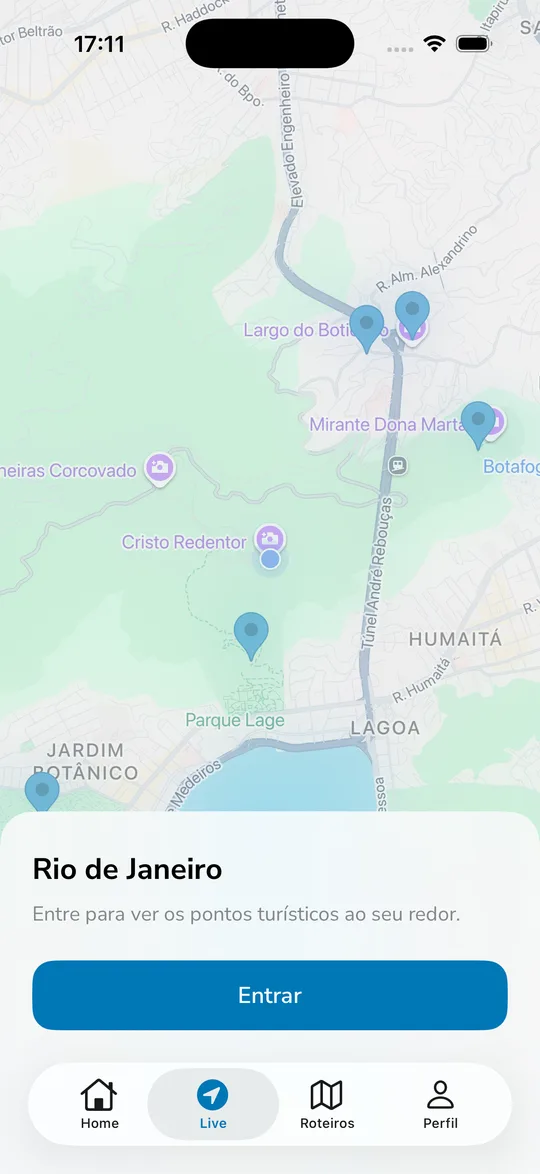
Live — what is nearby
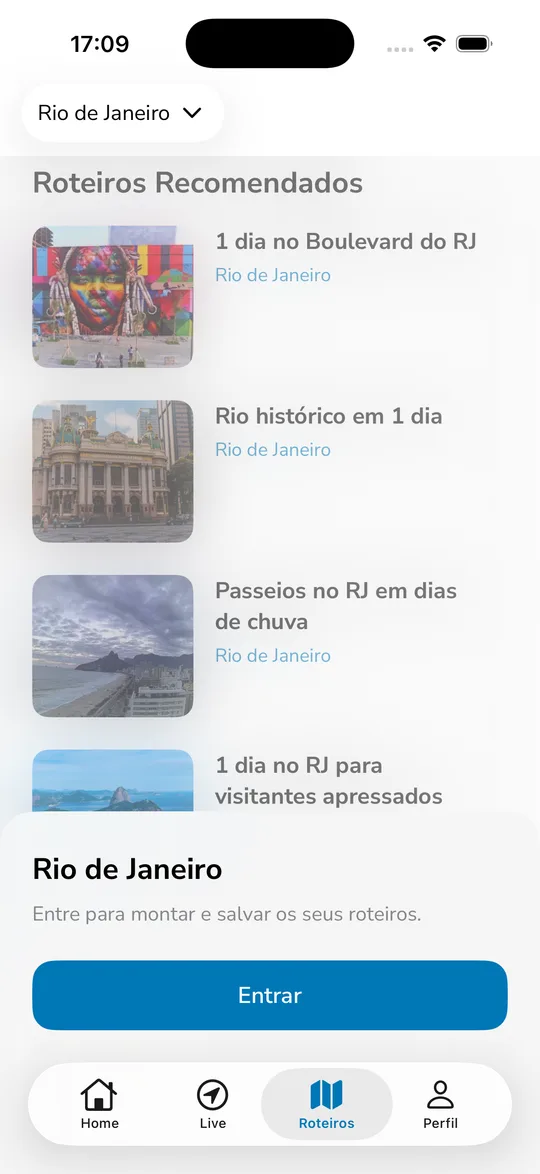
Itineraries — ready to follow
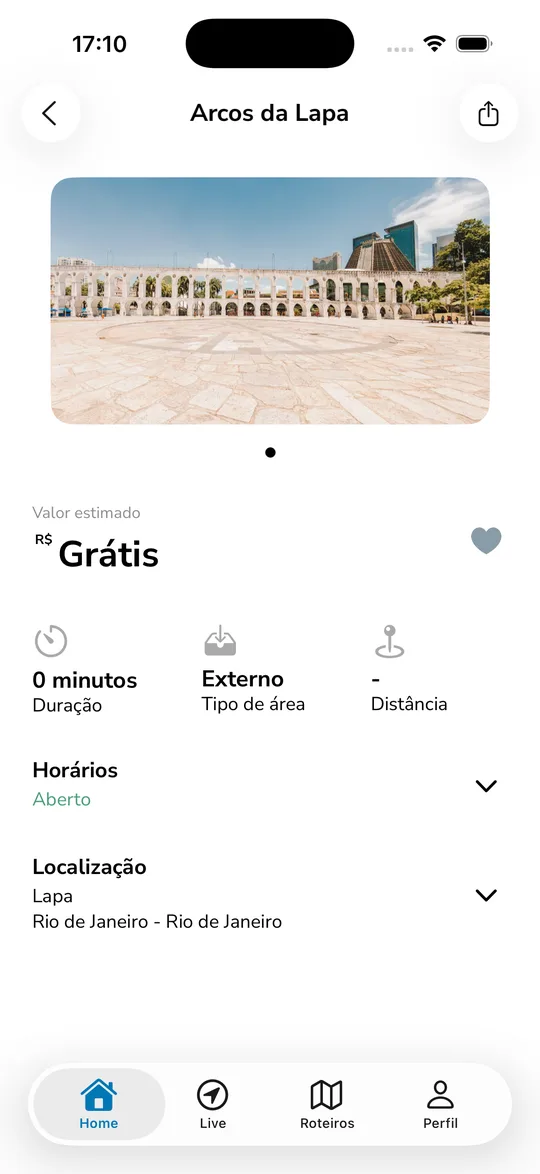
Every sight in detail
What you will find
From a postcard beach to a waterfall inland, each city has its own trails of places.
- Beaches
- Museums
- Parks
- Shopping malls
- Churches
- Historic centre
- Viewpoints
- Waterfalls
- Hiking trails
- Mountains
- Villages
- City highlights
Getting started
You can be using the app in ten seconds, with no sign-up form to fill in.
1. Come in as a guest
Open the app and tap Guest. You land straight on the list of sights in Rio de Janeiro — no account, no password.
2. Pick the city
Switch destination from the selector at the top of the screen. It works for the city you are in and for the one you are yet to visit.
3. Sign in with your phone
When you want to keep favourites and itineraries, signing in works by phone number, confirmed over SMS. No password to forget.
Frequently asked questions
Is AtlasTrip free?
Yes. The app is offered free of charge. We do not sell tickets, process payments or handle bookings: the prices shown for each sight are an estimate to help you plan.
Do I need an account?
Not to get started. Tap Guest and you land straight on the list of sights. An account is what keeps your favourites, your itineraries and My day.
How does signing in work?
By your phone number, confirmed with a code sent over SMS, and the country list covers travellers from outside Brazil. There is no password to forget. The SMS depends on your carrier and may be charged by them.
Which cities are in the app?
Rio de Janeiro is the starting city, and other destinations are available too. You switch city from the selector at the top of the screen, and you can browse a destination before you even travel there.
Why does the app ask for my location?
Only for the Live tab, which maps the attractions around you and how far each one is. If you decline, the rest of the app keeps working normally.
Is there an Android version?
AtlasTrip is on the App Store today, for iPhone. The Android version is in development.
Get AtlasTrip
Free on the App Store, for iPhone. The Android version is on its way.